

Settings reference
One deployment serves one person or one team. Each user signs in, connects their own calendars and makes their own choices. Nobody sees the calendars of another user.
Variables and secrets
Section titled “Variables and secrets”Set variables in wrangler.jsonc or in the Cloudflare dashboard. Set secrets with
wrangler secret put <NAME>.
| Name | Kind | Purpose |
|---|---|---|
ALLOWED_EMAILS |
variable | Comma-separated addresses that may sign in. For a personal deployment, your own address. |
ALLOWED_DOMAINS |
variable | Comma-separated email domains whose users may sign in, e.g. example.com. For a team. |
ALLOWED_TENANT_IDS |
variable | Optional. Entra tenant IDs. Microsoft sign-ins from other tenants are refused. |
ADMIN_EMAILS |
variable | Addresses with access to the admin page (users and account counts, no calendar data). |
ORG_NAME |
variable | Optional display name. |
TIME_ZONE |
variable | IANA time zone for dates in the dashboard, e.g. Europe/Vienna. Default UTC. |
PRIVACY_CONTACT |
variable | Address shown on the /privacy page as the contact of the operator. |
SIGN_IN_PROVIDERS |
variable | Optional. microsoft, google or both. Limits sign-in. Connecting accounts stays open. |
PUBLIC_URL |
variable | Optional. The https address of this deployment. Turns on push notifications. |
DATA_JURISDICTION |
variable | Optional. eu keeps the Durable Objects in the EU. Set it before the first account connects. |
MAX_DETAIL_TO_EXTERNAL |
variable | Optional cap from org accounts to other accounts: busy, title, title_location. |
MAX_DETAIL_FROM_EXTERNAL |
variable | Optional cap from other accounts to org accounts. Same values. |
SESSION_SECRET |
secret | At least 32 characters. Signs the session cookie. openssl rand -base64 48 |
TOKEN_ENCRYPTION_KEY |
secret | Base64-encoded 32-byte key for AES-GCM token encryption. openssl rand -base64 32 |
MICROSOFT_CLIENT_ID / _SECRET |
secret | Entra app registration. Leave empty if you do not use Microsoft 365. |
GOOGLE_CLIENT_ID / _SECRET |
secret | Google OAuth client. Leave empty if you do not use Google Calendar. |
SCIM_TOKEN |
secret | Optional. Bearer token for user provisioning from Entra over SCIM. |
If you remove someone from these settings, their access ends at their next request. Sessions last 12 hours. Signing in again is one click with the provider.
Settings for all calendars
Section titled “Settings for all calendars”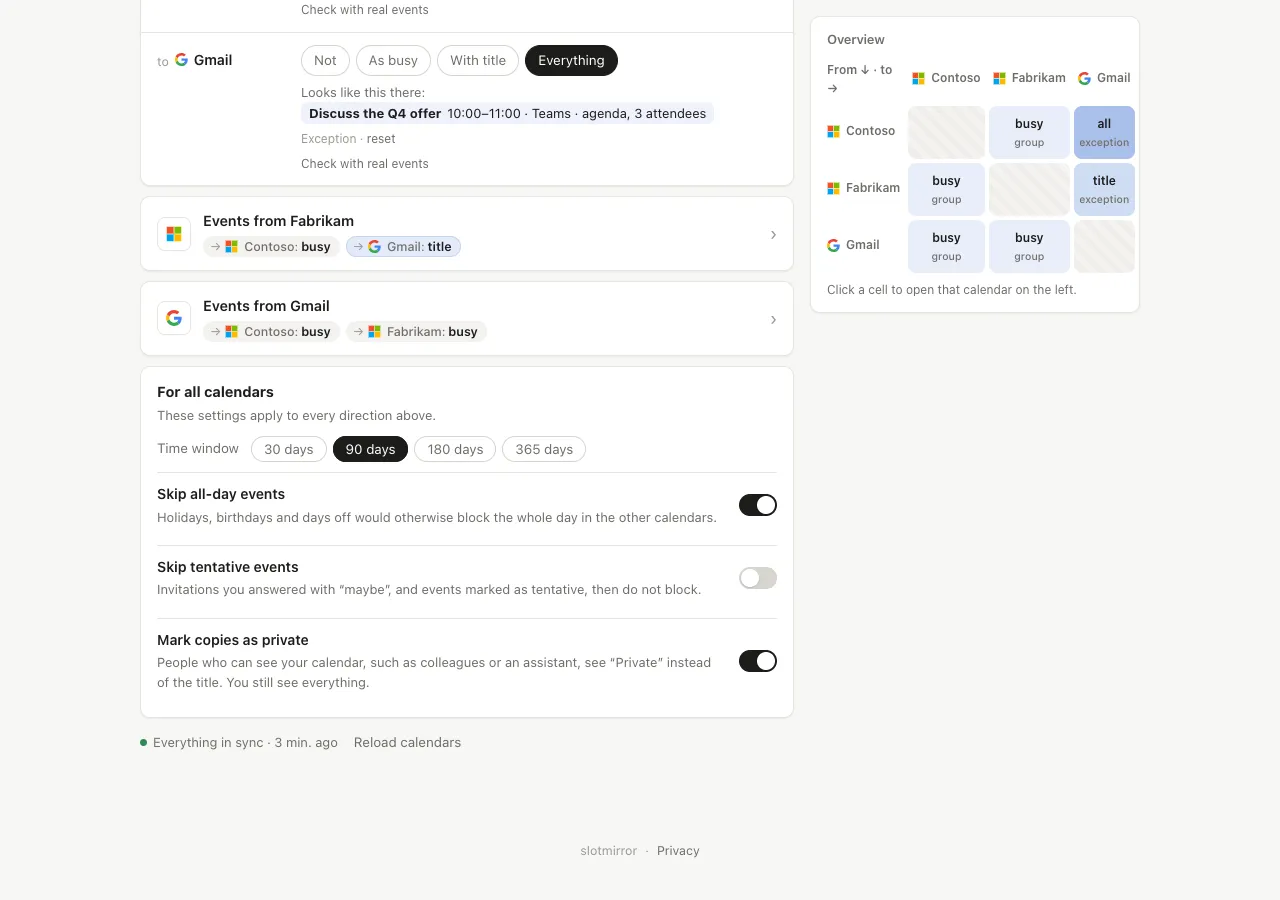
Each user sets these in the editor, under For all calendars. They apply to every direction.
| Setting | Effect |
|---|---|
| Time window | How many days ahead the sync looks. |
| Title of busy blocks | The title of copies at the level “As busy”. |
| Skip all-day events | Holidays, birthdays and days off do not block the whole day in the other calendars. |
| Skip tentative events | Invitations answered with “maybe”, and events marked tentative, do not block. |
| Mark copies as private | People who can see your calendar see “Private” instead of the title. You see everything. |
| Skip events with these categories | Outlook category names, separated by commas, for example Private, Focus. |
| Skip Google events with these colours | Google event colours to leave out. |
Events marked private in the source never carry more than “Busy”.